
How to Get More Google Reviews in Dubai | Complete Guide
Learn how to get more Google Reviews for your business in Dubai using review links, QR codes, NFC Google Review Cards, review stands and proven customer strategies.


Google Reviews have become an important part of how customers evaluate local businesses. When someone searches for a restaurant, salon, clinic, hotel, shop, car workshop, consultant, or other service in Dubai, reviews can influence whether they decide to contact or visit that business.
But getting more Google Reviews is not simply about asking customers to "give five stars." The better approach is to provide a good customer experience, make the review process easy, and invite customers to share their genuine feedback.
Google itself allows businesses to ask customers for reviews through a direct review link or QR code. It also recommends responding to reviews and valuing honest feedback.
This guide explains how to get more Google Reviews for your business in Dubai and across the UAE, how to ask customers properly, where to place review requests, how NFC Google Review Cards can help, and what businesses should avoid.
Why Google Reviews Matter for Dubai Businesses
Dubai has businesses competing across almost every industry.
Customers can often find several businesses offering similar products or services within a small geographical area.
Before making a decision, customers may look at:
Google rating
Number of reviews
Recent reviews
Customer comments
Business responses
Photos
Location
Services
Opening hours
Overall online presence
Google says reviews can help businesses stand out and give potential customers useful information when they appear alongside a Business Profile in Search and Maps.
For a local business, therefore, building a consistent collection of genuine customer reviews can become an important part of its online reputation.
How to Get More Google Reviews
There is no single trick that guarantees more reviews.
A sustainable strategy usually combines:
Good customer service
Asking customers at an appropriate time
Making the review process simple
Using direct review links
Using QR codes
Using NFC Google Review Cards
Using Google Review Stands
Training staff
Following up appropriately
Responding to existing reviews
Learning from negative feedback
Maintaining an accurate Google Business Profile
The objective is not to manipulate your rating.
The objective is to make it easy for genuine customers to share their experience.
1. Provide a Good Customer Experience First
The most important part of getting reviews happens before you ask for one.
Customers are more likely to talk about a business when they have had an experience worth remembering.
Focus on:
Product quality
Service quality
Professional communication
Accurate information
Clean environment
Helpful staff
Timely delivery
Clear pricing
After-sales support
A review card cannot replace good service.
It can only make the next step easier.
2. Ask Customers at the Right Time
Timing matters.
A review request can be more natural immediately after a positive customer interaction or after the service has been completed.
Examples:
Restaurant
After the customer finishes their meal.
Salon
After completing the customer's service.
Car Workshop
After returning the vehicle.
Hotel
Around checkout or after a successful stay.
Retail Store
After completing a purchase.
Consultant
After completing a project or important stage.
Real Estate
After a successful customer milestone or completed service.
The exact timing should depend on your business and customer journey.
3. Make the Review Process Easy
One of the biggest barriers is inconvenience.
If customers have to:
Search Google
Find your business
Open your profile
Find the review section
Start writing
some customers may simply decide to do it later.
And "later" often becomes never.
A direct review link or QR code can reduce those steps.
Google specifically provides businesses with options to share a review link or QR code with customers.
4. Use a Google Review Link
A direct Google review link can take customers to the appropriate review experience for your business.
You can use the link in:
WhatsApp
Email
Website
Digital business card
Thank-you messages
Receipts
Customer follow-ups
Printed materials
The key is to make the destination clear and ensure the link belongs to the correct business profile.
5. Use a QR Code for Google Reviews
A QR code provides a simple physical way to direct customers to your Google review page.
Google itself recommends that businesses can share review QR codes and display them in stores.
You can place a QR code on:
Counter displays
Receipts
Table stands
Packaging
Flyers
Thank-you cards
Business materials
Review cards
6. Use an NFC Google Review Card
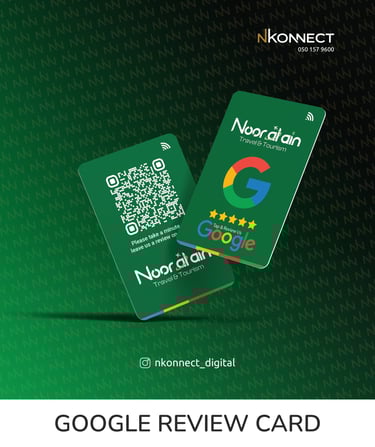
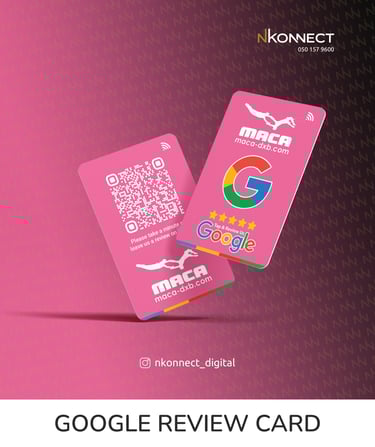
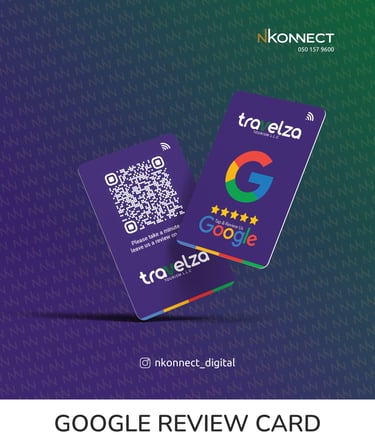
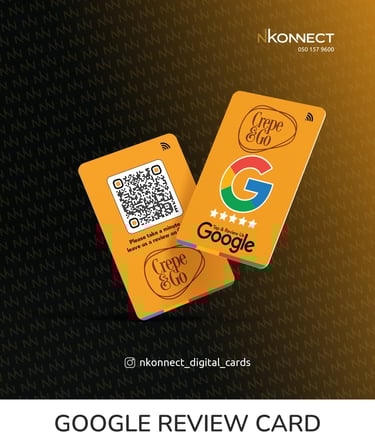
An NFC Google Review Card provides another convenient way for customers to access a business's review page.
Instead of relying only on scanning a QR code, customers with compatible smartphones can use a tap-based interaction.
An NFC Google Review Card can combine:
NFC + QR
This gives customers two options.
NFC
Tap to access
QR
Scan to access
For businesses that regularly interact with customers face-to-face, this can make the review request feel more natural.
What Is a Google Review Card?
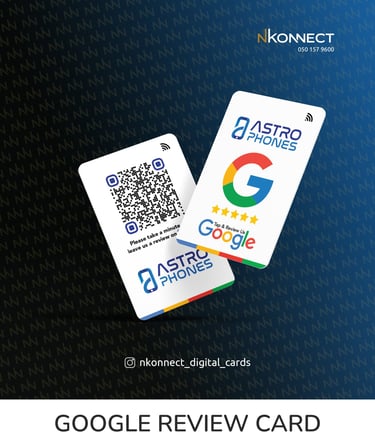
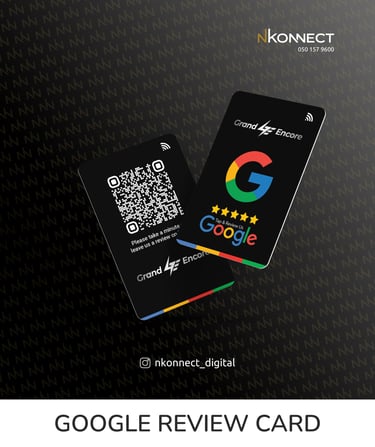
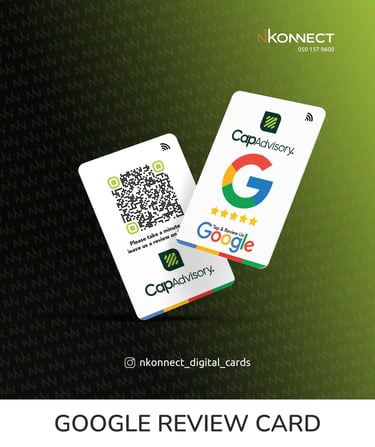
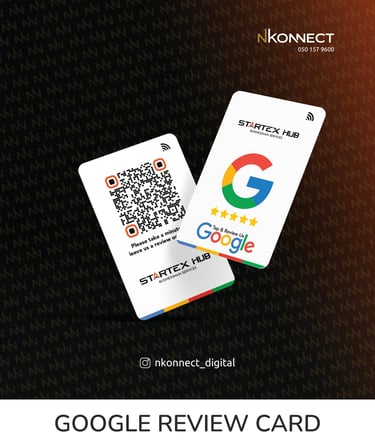
A Google Review Card is a physical card designed to make it easier for customers to access a business's Google review page.
Depending on the product, it can include:
NFC
QR code
Business logo
Brand colors
Review call-to-action
Custom printing
A professionally designed card can become part of the business's customer experience rather than looking like a generic promotional item.
7. Use a Google Review Table Stand
A Google Review Table Stand is particularly useful when you want the review request to remain visible.
Good locations include:
Reception
Restaurant tables
Checkout counters
Salon counters
Clinic reception
Hotel desks
Retail counters
Unlike a portable card, a table stand can remain in a fixed customer-facing location.
For some businesses, using both a Google Review Card and Google Review Stand can provide more opportunities for customers to access the review page.
Google Review Card vs Review Stand
Google Review CardGoogle Review StandPortableStationaryCan be handed to customersRemains at a locationGood for staffGood for countersEasy to carryEasy to seeSuitable for customer interactionsSuitable for continuous placementNFC + QR possibleNFC + QR possible
8. Train Your Employees
Your staff can play an important role in your review strategy.
But employees should not pressure customers.
Instead, teach staff to make a simple and natural request.
For example:
"If you have a moment, we'd appreciate your honest feedback on Google."
Or:
"Thank you for choosing us. You can tap or scan here if you'd like to share your experience."
The customer should always remain free to decide whether to leave a review.
9. Ask for Honest Feedback
This is one of the most important principles.
Don't say:
"Please give us five stars."
Instead say:
"We'd appreciate your honest feedback."
This allows the customer to express their genuine experience.
Google's policies prohibit businesses from pressuring customers for particular ratings or specific review content.
10. Never Buy Google Reviews
Buying reviews may seem like a shortcut, but it is not a sustainable review strategy.
Avoid:
Buying reviews
Paying people to review
Fake customer accounts
Review farms
Bulk fake reviews
Asking people who have never used your business
Manipulating review content
Google prohibits fake engagement and can take action against businesses involved in prohibited review activity.
11. Don't Offer Discounts for Reviews
Avoid:
"Leave us a Google review and get 10% off."
Also avoid:
"Give us five stars and receive a free product."
Google prohibits offering incentives such as free or discounted goods or services in exchange for reviews.
Your review request should be independent of rewards.
12. Don't Ask Only Happy Customers
A common mistake is selectively asking only customers who appear satisfied.
For example:
"If you are happy, please leave us a review."
This can become problematic if the purpose is to discourage unhappy customers from sharing feedback.
Google's policy specifically prohibits selectively soliciting positive reviews or discouraging negative reviews.
Instead:
"We'd appreciate your honest feedback about your experience."
13. Respond to Your Existing Reviews
Getting reviews is only one part of reputation management.
You should also respond to them.
Google recommends responding to reviews because it shows customers that their feedback matters.
Positive review
Thank the customer and mention something relevant to their experience.
Negative review
Stay professional.
Acknowledge the concern, avoid arguments and, where appropriate, invite the customer to contact the business privately to resolve the issue.
14. Don't Ignore Negative Reviews
A negative review is not automatically harmful.
It can show potential customers that real people are providing genuine feedback.
The important thing is how your business responds.
A professional response can demonstrate:
Responsibility
Professionalism
Customer care
Willingness to improve
Google also notes that honest and balanced reviews can help potential customers make decisions.
15. Keep Your Google Business Profile Updated
Reviews are only one part of your Google presence.
Make sure your Business Profile contains accurate:
Business name
Category
Address
Phone number
Website
Opening hours
Special hours
Business information
Photos
Services
Google states that complete and accurate Business Profile information can help customers understand what a business does, where it is and when it can be visited.
16. Add Good Photos
Customers want to see what a business actually looks like.
Depending on your industry, add:
Exterior photos
Interior photos
Products
Services
Team
Facilities
Work examples
Projects
Keep images accurate and current.
17. Make Reviews Part of Your Customer Journey
Instead of asking randomly, create a repeatable process.
For example:
Customer completes service
↓
Staff thanks customer
↓
Staff invites honest feedback
↓
Customer taps/scans
↓
Google review page
↓
Customer decides whether to review
This makes review requests part of normal operations.
18. Google Reviews for Restaurants in Dubai
Restaurants can build review opportunities around:
Dine-in
Takeaway
Catering
Events
Customer service
A review card or table stand can be placed at suitable customer touchpoints.
For example:
Enjoyed Your Meal?
Tap or Scan to Share Your Honest Experience
19. Google Reviews for Cafés
Cafés can use:
Counter cards
Table stands
NFC cards
QR displays
Receipts
Thank-you messages
The best placement depends on the customer journey.
20. Google Reviews for Salons
Salons can ask after:
Hair services
Grooming
Beauty services
Appointments
Completed treatments
A small branded review card can be given to customers after the service.
21. Google Reviews for Clinics
Healthcare businesses should approach review requests professionally and appropriately.
A simple request for genuine feedback is preferable to pressuring customers for a specific rating.
22. Google Reviews for Hotels
Hotels can place review requests at suitable guest touchpoints.
Examples include:
Reception
Checkout
Guest services
Customer communication
23. Google Reviews for Car Workshops
Car workshops can ask customers after:
Service completion
Repairs
Maintenance
Detailing
Vehicle collection
The review request can become part of the vehicle handover process.
24. Google Reviews for Retail Stores
Retail businesses can use review cards or stands at:
Checkout
Customer service
Store exits
Reception
25. Google Reviews for Real Estate Businesses
Real estate businesses can request genuine feedback after appropriate completed customer interactions.
This can be particularly useful for companies that depend heavily on reputation and referrals.
26. Google Reviews for Professional Services
Consultants, agencies, designers, contractors and other professional service businesses can request feedback after completing a project or major milestone.
A good time to ask is when the customer has received the agreed outcome.
27. Google Reviews for Small Businesses
Small businesses don't need a complicated system.
A simple strategy can be:
Good Service → Polite Request → Easy Access → Genuine Review → Professional Response
Consistency is more important than complexity.
28. Use WhatsApp for Review Requests
WhatsApp is widely used by businesses for customer communication.
A review request can be included in an appropriate follow-up message after a completed service.
Keep the message short.
Example:
Thank you for choosing us. If you'd like to share your honest experience, we'd appreciate your Google review.
Then provide the appropriate review link.
29. Use Email for Review Requests
Email can work particularly well for:
Corporate services
B2B businesses
Consultants
Hotels
Online purchases
Professional services
Include a clear call-to-action rather than a long explanation.
30. Use Your Website
A website can provide a review link or review request section.
However, don't make the process unnecessarily complicated.
The customer should understand what action they can take.
31. Use Printed Materials
Google itself suggests that businesses can share review links or QR codes through physical and digital customer touchpoints.
Possible locations include:
Receipts
Packaging
Thank-you cards
Counter displays
Table stands
Review cards
32. Create a Consistent Review Request Message
Your staff shouldn't have to invent a new sentence every time.
Create a simple brand-approved message.
Example
Thank you for choosing us. We value your feedback. If you'd like to share your genuine experience, please tap or scan here to leave a Google review.
Simple.
Professional.
No pressure.
33. Make the Review Request Visible
A customer can't use something they don't notice.
If you're using a physical review card or stand, consider placing it where customers naturally look.
Avoid hiding it behind:
Screens
Products
Paperwork
Other displays
Counter equipment
34. Use Professional Branding
A branded Google Review Card can look more professional than a generic printed QR code.
Consider:
Logo
Brand colors
Clear typography
Professional printing
Simple messaging
The physical product becomes part of the customer experience.
35. Use NFC + QR Together
This is particularly useful for businesses that want to provide different access methods.
NFC
Tap.
QR
Scan.
Customers can choose the method they are comfortable with.
36. Don't Overcomplicate the Card
A review card should have one obvious purpose.
Avoid filling it with:
Long company descriptions
Too many phone numbers
Multiple offers
Excessive social media icons
Large amounts of text
Keep the focus on the review action.
37. Use a Durable Review Card
If your staff will repeatedly handle the card, durability matters.
PVC is a practical choice for reusable Google Review Cards because it is designed for repeated handling.
A professional printed card can also better represent your brand.
38. Use a Google Review Stand for Permanent Placement
If customers regularly visit your physical location, a review stand can remain visible throughout the day.
Good locations include:
Reception
Checkout
Restaurant tables
Waiting areas
Customer service counters
39. Use a Google Review Card for Staff
A portable review card can be useful for employees who regularly interact with customers.
For example:
Sales staff
Customer service
Technicians
Consultants
Delivery teams
Reception staff
40. Use Review Cards Across Multiple Branches
If you have several branches, each location should be handled carefully.
The review destination should correspond to the appropriate business location.
A multi-branch business can use customized cards for individual locations.
41. Don't Expect Reviews Immediately
Not every customer will leave a review.
That's normal.
A healthy strategy focuses on creating consistent opportunities for genuine customer feedback rather than expecting every interaction to produce a review.
42. Focus on Review Quality, Not Just Quantity
A business should not focus exclusively on reaching a certain number.
Useful reviews can explain:
What customers liked
What service they received
What made the experience good
What could be improved
These details can help future customers understand the business.
43. Learn From Negative Feedback
Negative feedback can reveal:
Service problems
Communication problems
Delivery delays
Pricing confusion
Staff issues
Product problems
Instead of simply trying to remove criticism, look for legitimate opportunities to improve.
44. Report Reviews That Actually Violate Policy
Not every negative review can or should be removed.
If a review genuinely violates Google's policies, the business can report it for evaluation.
Simply disagreeing with a review does not automatically make it removable.
45. Build a Long-Term Google Review Strategy
The strongest strategy is consistent.
Think in months, not days.
Every day
Deliver good service.
Every customer
Provide a good experience.
At appropriate moments
Invite genuine feedback.
Every week
Review new feedback.
Regularly
Identify patterns and improve your service.
Best Google Review Strategy for a Dubai Business
A practical system could look like this:
Google Business Profile
Excellent customer experience
Staff review request
NFC Google Review Card
Google Review Table Stand
WhatsApp follow-up
Professional review responses
=
A consistent customer feedback system
Google Review Card for Dubai Businesses
For businesses that interact with customers physically, an NFC + QR Google Review Card can be a convenient addition to the review process.
The card can be customized with your:
Business logo
Brand colors
Review message
NFC
QR code
At nKonnect, we provide branded Google Review Cards in Dubai and across the UAE for businesses looking for a professional physical review solution.
Why Choose nKonnect for a Google Review Card?
nKonnect provides:
NFC Google Review Cards
QR review cards
NFC + QR combination
PVC cards
Custom UV printing
Custom business branding
Professional design
Google Review Table Stands
Dubai delivery
UAE delivery
The goal is simple:
Make it easier for your customers to access your Google review page and share genuine feedback.
Explore the nKonnect Google Review Card
📞 Call / WhatsApp: +971 50 157 9600
100 FAQs About Getting More Google Reviews
General Google Review Questions
1. How can I get more Google Reviews for my business?
Provide excellent service, ask customers at appropriate moments, make the review process easy, and consistently invite customers to share genuine feedback.
2. Why are Google Reviews important?
They can help potential customers understand other customers' experiences and can contribute to your business's online reputation.
3. How do I ask customers for a Google Review?
Politely ask customers to share their honest experience and provide a direct way to access your Google review page.
4. Should I ask every customer for a review?
Businesses should use a consistent and appropriate review-request process rather than selectively asking only customers expected to leave positive feedback.
5. When should I ask for a Google Review?
Usually after an appropriate customer interaction, such as completing a purchase or service.
6. Is it okay to ask customers for reviews?
Yes. Businesses can ask customers to leave genuine reviews.
7. Can I ask customers for five-star reviews?
It is better to request honest feedback rather than pressure customers to give a particular rating.
8. Can I ask customers to mention my employee?
Businesses should not pressure customers to include specific content in reviews.
9. Can I offer a discount for a review?
No. Incentives in exchange for reviews are prohibited by Google's policies.
10. Can I offer a free product for a review?
No. Free goods or services in exchange for reviews are prohibited.
11. Can I buy Google Reviews?
No. Buying fake reviews can violate Google's policies.
12. Can employees write reviews for their own company?
Reviews involving conflicts of interest can violate Google's policies.
13. Can I ask only happy customers for reviews?
Businesses should not selectively solicit only positive reviews.
14. Can I discourage negative reviews?
Businesses should not discourage customers from leaving negative feedback.
15. Can I ask customers to change a negative review?
You should not pressure customers to change reviews. Resolve genuine issues professionally and allow the customer to decide.
Google Review Link Questions
16. Can I send customers a Google Review link?
Yes.
17. Can I send the review link on WhatsApp?
Yes.
18. Can I send the review link by email?
Yes.
19. Can I put the review link on my website?
Yes.
20. Can I include the review link in a thank-you message?
Yes.
21. Can I put the review link on a receipt?
Yes.
22. Can I use a QR code instead of a link?
Yes.
23. Can I print a Google Review QR code?
Yes.
24. Can I display the QR code in my business?
Yes.
25. Can customers scan the QR code with their phone?
Yes, using a compatible smartphone camera or QR-scanning function.
NFC Google Review Card Questions
26. What is an NFC Google Review Card?
It is a physical card that uses NFC technology to provide a tap-based way to access a business's Google review page.
27. How does an NFC Google Review Card help?
It can make accessing the review page more convenient for customers.
28. Can NFC and QR be used together?
Yes.
29. Is NFC better than QR?
They provide different interaction methods. Using both can give customers more choice.
30. Does a customer need a special app?
A normal customer review-card experience does not require a dedicated review-card app.
31. Does NFC work with iPhone?
Many modern iPhones support NFC functionality.
32. Does NFC work with Android?
Many modern Android phones support NFC.
33. What happens if NFC isn't available?
A QR code can provide an alternative access method.
34. Can I use one NFC review card repeatedly?
Yes.
35. Can multiple customers use the same card?
Yes.
36. Can I customize an NFC review card?
Yes.
37. Can I add my logo?
Yes.
38. Can I use my brand colors?
Yes.
39. Can an NFC review card be PVC?
Yes.
40. Is PVC good for repeated use?
PVC is a durable material suitable for repeated handling.
Google Review Card Questions
41. What is a Google Review Card?
A physical card designed to make it easier for customers to access a business's Google review page.
42. What should a Google Review Card contain?
It can contain your logo, review message, NFC functionality, QR code and branding.
43. Should a Google Review Card be simple?
Yes.
44. Should I put my phone number on it?
You can, but avoid distracting from the main review purpose.
45. Can I put WhatsApp on it?
Yes, although the review action should remain clear.
46. Can I use a Google Review Card at a restaurant?
Yes.
47. Can salons use Google Review Cards?
Yes.
48. Can hotels use Google Review Cards?
Yes.
49. Can clinics use Google Review Cards?
Yes, where appropriate.
50. Can car workshops use Google Review Cards?
Yes.
51. Can retail stores use Google Review Cards?
Yes.
52. Can real estate companies use Google Review Cards?
Yes.
53. Can consultants use Google Review Cards?
Yes.
54. Can small businesses use Google Review Cards?
Yes.
55. Can startups use Google Review Cards?
Yes.
Google Review Stand Questions
56. What is a Google Review Stand?
A physical stand designed to display a review-access option at a business location.
57. Where should I put a Google Review Stand?
Reception, checkout counters, tables and other suitable customer touchpoints.
58. Is a Google Review Stand better than a card?
Neither is universally better. They serve different purposes.
59. Can I use a card and stand together?
Yes.
60. Can restaurants use review stands?
Yes.
61. Can salons use review stands?
Yes.
62. Can hotels use review stands?
Yes.
63. Can retail stores use review stands?
Yes.
64. Can clinics use review stands?
Yes.
65. Can car workshops use review stands?
Yes.
Google Reviews in Dubai
66. How can I get more Google Reviews in Dubai?
Use good customer service, consistent review requests, direct links or QR codes, and physical solutions such as NFC Google Review Cards where appropriate.
67. What is the best way to get Google Reviews in Dubai?
There is no single best method. A combination of good service, convenient review access and consistent requests works well.
68. Can restaurants in Dubai use Google Review Cards?
Yes.
69. Can salons in Dubai use Google Review Cards?
Yes.
70. Can hotels in Dubai use Google Review Cards?
Yes.
71. Can shops in Dubai use Google Review Cards?
Yes.
72. Can clinics in Dubai use Google Review Cards?
Yes.
73. Can car garages in Dubai use Google Review Cards?
Yes.
74. Can offices in Dubai use Google Review Cards?
Yes.
75. Can businesses across UAE use Google Review Cards?
Yes.
Review Strategy Questions
76. How often should I ask for reviews?
Use a consistent process whenever an appropriate customer interaction is completed.
77. Should I ask customers immediately?
It depends on the business. Ask when the customer has had enough experience to provide meaningful feedback.
78. Should staff ask customers personally?
They can, provided the request is polite and does not pressure the customer.
79. Should I send follow-up messages?
A suitable follow-up can remind customers to share genuine feedback.
80. Should I reply to every Google Review?
Businesses should regularly monitor and respond appropriately to reviews.
81. How should I respond to positive reviews?
Thank the customer and personalize the response when possible.
82. How should I respond to negative reviews?
Remain professional, acknowledge the concern and offer an appropriate way to resolve the issue.
83. Should I remove negative reviews?
Only reviews that violate Google's policies are eligible for removal.
84. Can I report a fake review?
If you believe a review violates Google's policies, you can report it to Google.
85. Does a negative review always hurt my business?
Not necessarily. A professional response can demonstrate that the business listens and cares about customer feedback.
Google Review SEO Questions
86. Do Google Reviews help local businesses?
They can contribute to a business's online reputation and help potential customers evaluate the business.
87. Do Google Reviews improve Google ranking?
Reviews are part of the broader local-search environment, but a review card or review request does not guarantee improved rankings.
88. Does getting more five-star reviews guarantee first position?
No.
89. Can a Google Review Card guarantee higher rankings?
No.
90. Can a Google Review Card guarantee five-star reviews?
No.
91. Should I focus only on rating?
No. Review quality, recency, customer experience and the overall Business Profile also matter.
92. Should I respond to negative reviews for SEO?
Responding helps demonstrate that your business is active and responsive, but responses should be written primarily for customers rather than search engines.
93. Should I add keywords to review replies?
Keep replies natural and relevant rather than stuffing them with keywords.
94. Should I create fake reviews using keywords?
No.
95. Can I pay someone to create Google Reviews with keywords?
No.
nKonnect Google Review Card Questions
96. Does nKonnect provide Google Review Cards in Dubai?
Yes. nKonnect provides customized Google Review Cards for businesses in Dubai.
97. Does nKonnect provide NFC Google Review Cards?
Yes.
98. Does nKonnect provide QR Google Review Cards?
Yes.
99. Does nKonnect provide NFC + QR cards?
Yes.
100. How can I order a Google Review Card from nKonnect?
Contact nKonnect by WhatsApp or phone to discuss your card requirements.
📞 Call / WhatsApp: +971 50 157 9600
101. Does nKonnect deliver Google Review Cards across the UAE?
Yes, delivery options are available across Dubai and the UAE.
102. Can nKonnect customize the card with my logo?
Yes.
103. Can nKonnect design the card?
Yes. nKonnect can provide professional branded card design.
104. Can I order Google Review Cards for multiple branches?
Yes. Multi-location requirements can be discussed with nKonnect.
105. Can I order Google Review Cards and a Google Review Stand together?
Yes. nKonnect provides both Google Review Cards and Google Review Table Stands.
Final Thoughts
Getting more Google Reviews is not about finding a shortcut to a five-star rating.
It starts with good service, followed by a simple and appropriate invitation to share genuine feedback.
Businesses can make that process easier through direct review links, QR codes, NFC Google Review Cards, Google Review Stands, WhatsApp follow-ups and other customer touchpoints.
For businesses in Dubai and across the UAE, an NFC + QR Google Review Card can be a practical addition to the customer journey, particularly where staff interact with customers face-to-face.
If you're looking for a Google Review Card in Dubai, NFC Google Review Card, Google Review NFC Card, QR Review Card or Google Review Table Stand, nKonnect can create a professionally branded solution for your business.
Ready to Make Reviews Easier?
nKonnect – Digital Cards & Branding
📞 Call / WhatsApp: +971 50 157 9600
🌐 www.nkonnect.me
View the nKonnect Google Review Card page
Google Review Cards
Google Review Card / Google Card in Dubai & UAE with NFC and QR. Get more reviews, increase ratings, and grow your business visibility easily.
Get in touch
Address
Al Qiyada, Dubai
Contacts
+971 50 157 9600
nkonnect.me@gmail.com
✅ Best Logo Design in Dubai & UAE
✅ Best Flyer Design in Dubai & UAE
✅ Best Company Profile Design in Dubai & UAE
✅ Best Branding Services in Dubai & UAE
✅ Best Business Card Printing in Dubai & UAE
✅ Best Letterhead Printing in Dubai & UAE
✅ Best Flyer Printing in Dubai & UAE
✅ Best NFC Digital Business Card in Dubai & UAE
✅ Best NFC Digital Google Review Card in Dubai & UAE
✅ Best NFC Digtal Google Review Table Stand in Dubai & UAE
✅ Best NFC Stand in Dubai & UAE
✅ Best Trademark Registration in Dubai & UAE